
Hint
-
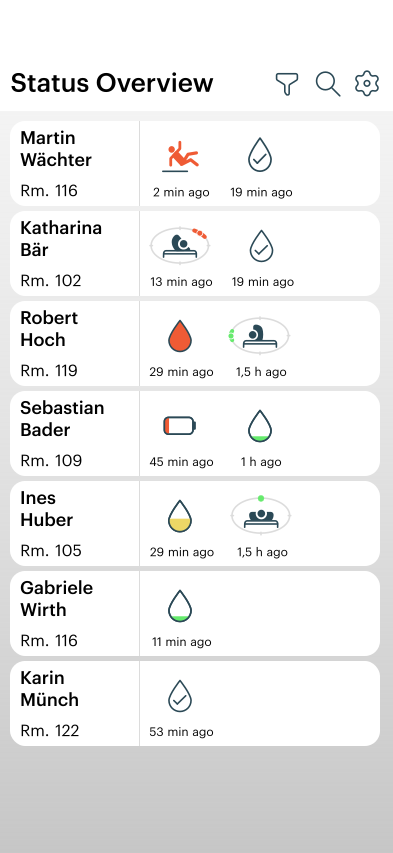
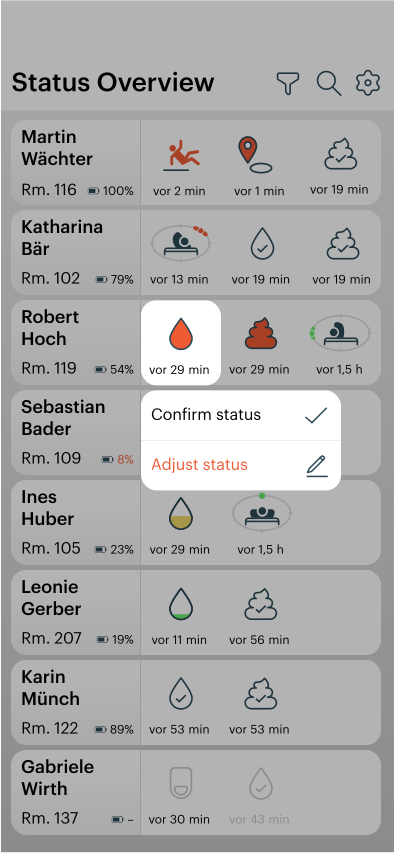
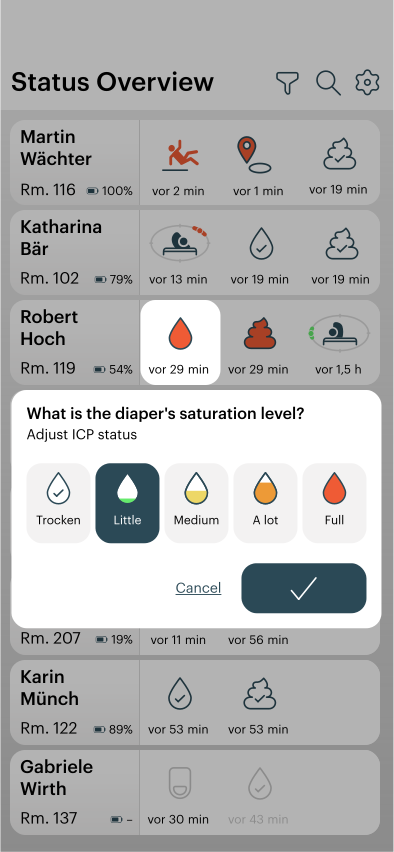
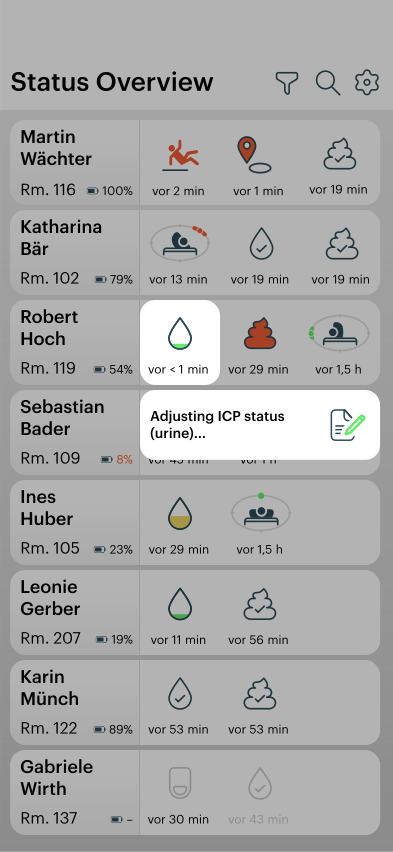
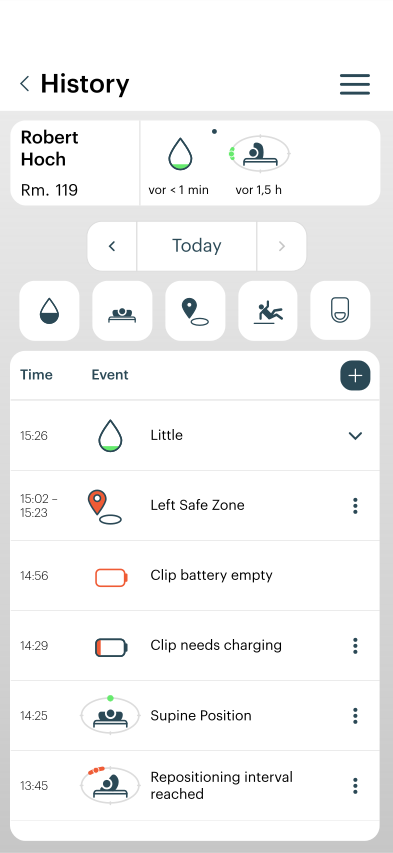
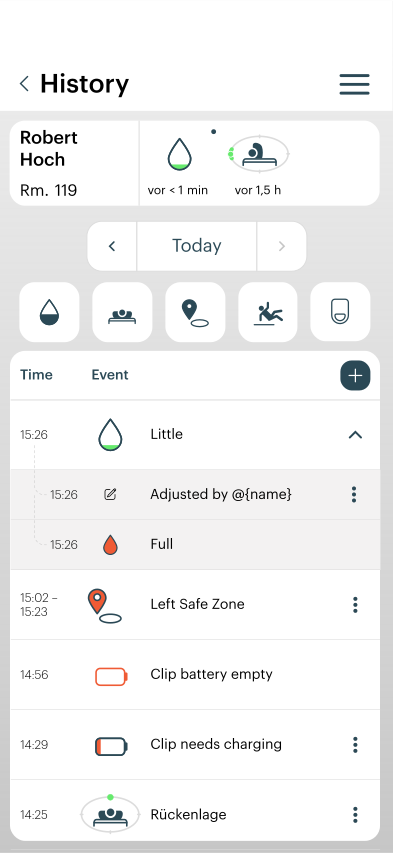
With this adjustment, you have the option of comparing your own observations with the status messages or status symbols in the alea app, for example by manually documenting fill levels that deviate from the information in the alea app as corrections.
-
The system operates on the basis of so-called 1-level accuracy, which means that, for example, the status ‘Full’ (red drop icon) in some cases also includes the status ‘Much’ (orange drop icon) when measuring system accuracy.
-
Therefore, there is an option here to document how accurately the system measures in everyday use.
-
This helps the manufacturer to continuously improve the accuracy of alea for the benefit of all users and beneficiaries.
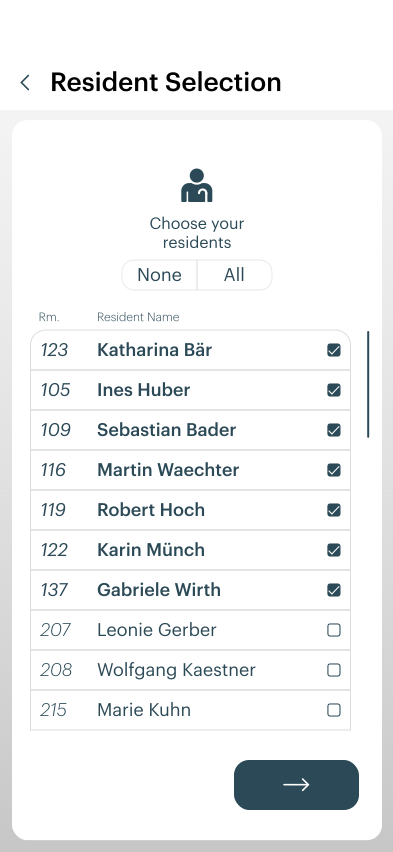
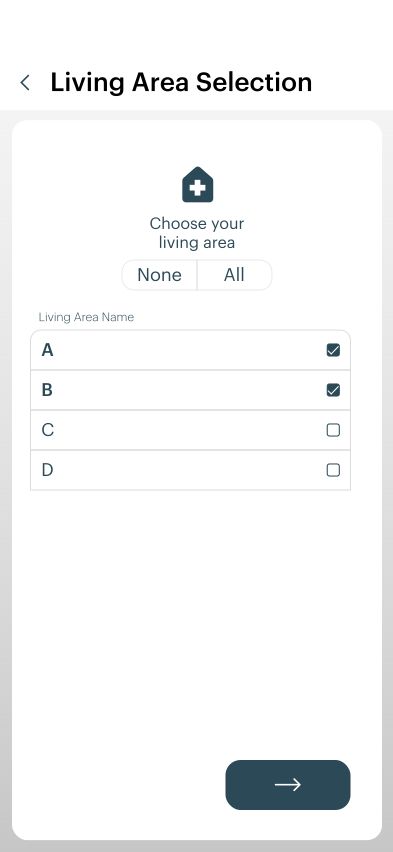
Select the care recipient and care facility.
|
|
|---|---|
|

|
|
|
|
|
Customise an event
|
|
|
|
|
|
|
|
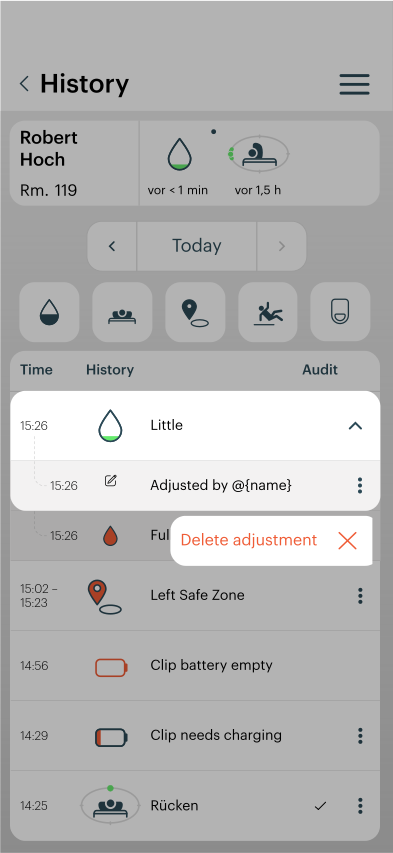
Delete an adjustment
|
|
|
|
|
|
|
|
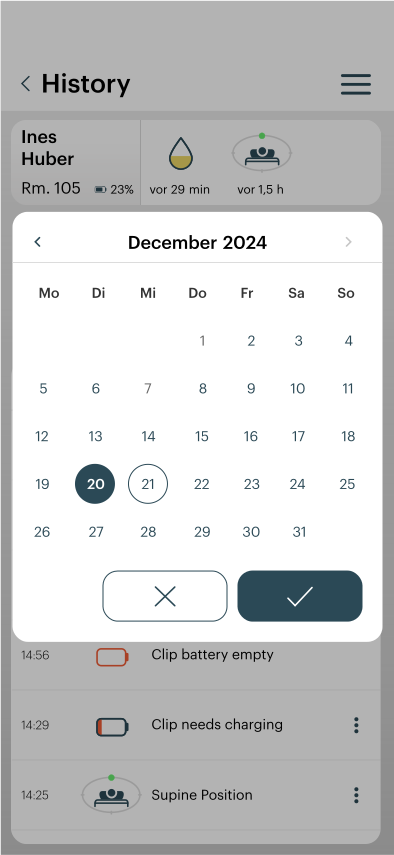
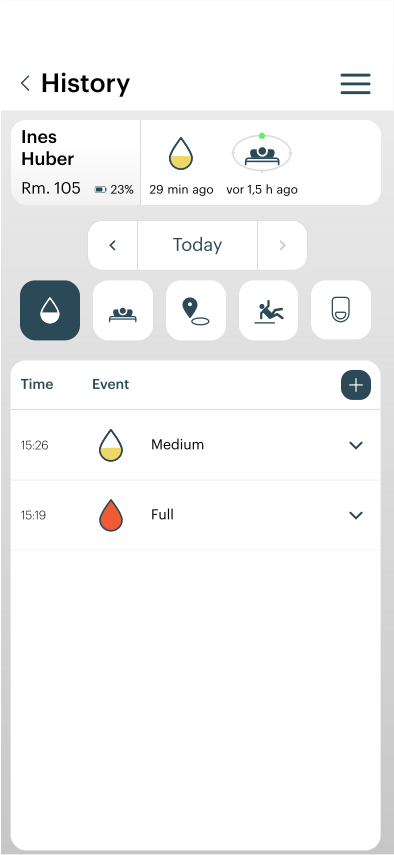
Filter the history of a care recipient
|
|
|
|
|
|
|
|
|
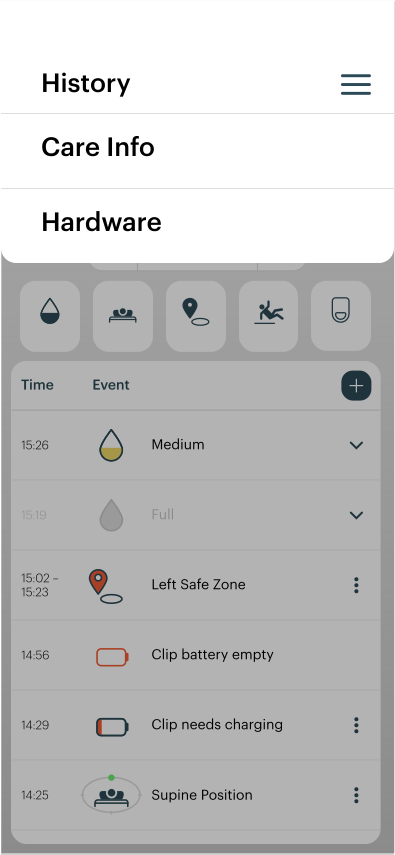
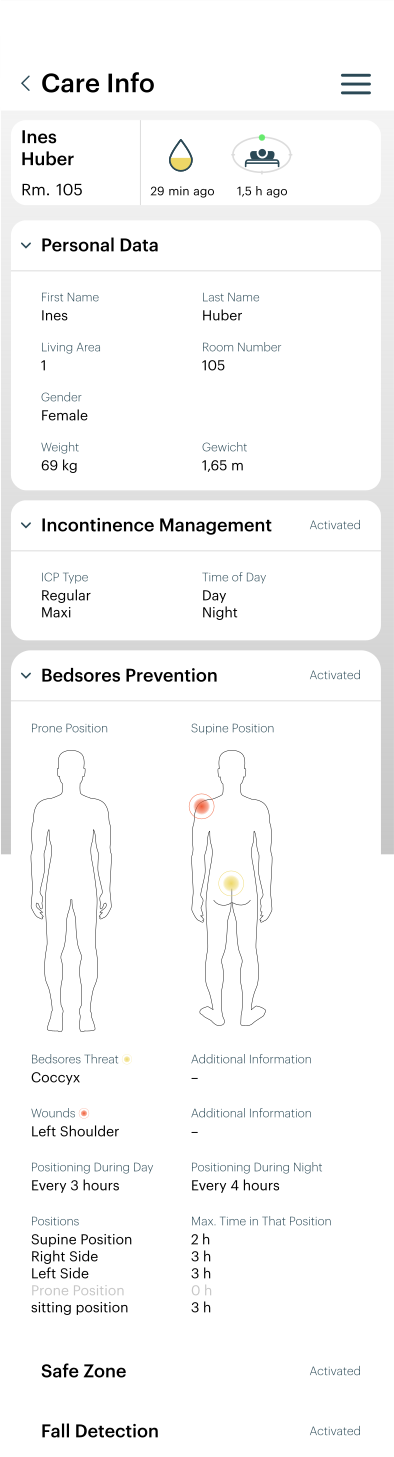
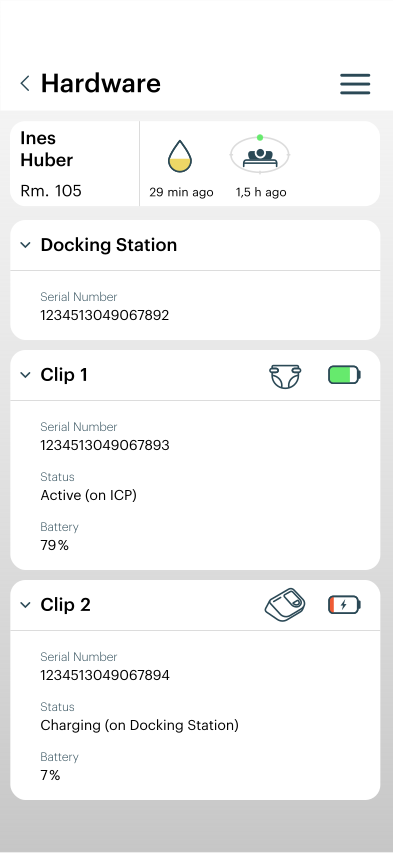
Obtain information about a care recipient and the hardware assigned to them
|
|
|
|
|
|
|
|
General instructions for daily use of the alea app
If you are missing something in the alea app (alea docks, data from care recipients, etc.)...
-
contact your system administrator or care manager directly.
-
As a rule, not all care recipients are suitable for care with alea and are therefore not included in the system in the first place.
-
Simultaneous use by one or more users can lead to changes in the visibility of data.
-
It may also be that the care managers or the previous period have paused a care recipient and that this person therefore does not appear in the alea app.
-
If everything is set up correctly, you will see your ward(s) and the associated care recipients at the top right of the filter view.
Entered incorrect password three times during login
-
In this case, the password must be reset by your system administrators.
-
The administrators must create a new password for you to log in so that you can use the account again.
You have been assigned to the wrong area in the alea app
-
You can change the selection of the station or area via the “Settings” navigation area.
-
If the area for which you are responsible is missing entirely, it can be assigned via the alea cockpit.
Usernames and the care setting ID for the alea app...
-
are provided by the care manager or system administrator.
An overview of the symbols used in the alea app can be found under “Settings”.
-
All symbols relevant to the use of the alea app are listed there (see also section 3.2.3).
-
Each ward has at least one laminated explanation card for all symbols and their meanings, which can be found on the help pages in the alea app itself.
Feedback on deviating notifications in the alea app...
-
can be shared and corrected in the “Care managers” navigation area.
-
The system does not offer 100% accuracy, but every deviation that is observed and documented helps greatly in continuously improving the system.
If notifications are delayed or not displayed at all...
-
it may be that the alea clip is located in an area where there is neither an alea dock nor an alea router and the care recipient is outside the transmission radius (e.g. in an outdoor area).
-
However, upon re-entry, the clip data will be sent accordingly and will arrive in the app with a corresponding delay.
To receive notifications via the alea app when using it on a compatible mobile device...
-
the notification settings of the alea app must be activated on your mobile device (smartphone, tablet).
Reliability of the icons displayed
-
The information in the alea app is not 100% accurate.
-
Therefore, it is necessary to check at all times whether the display in the alea app matches the actual observation.
-
In case of doubt, users can manually record any deviations from reality in the app.
-
The manual documentation function should be used for this purpose in order to document deviations for all carers and the manufacturer of alea in the interests of continuous improvement and transparency.
A push notification is sent when the status is ‘Full’ (red drop icon) or ‘High’ (orange drop icon), in the event of a fall, and when a positioning interval is (not) reached.
-
Users receive a push notification on their mobile device for all of this status information and events, in addition to the notification in the alea app.
-
It is therefore important to check the alea app even when no push notifications have been initiated by your smartphone.