2.2.3 | Store maintenance setting and user data

General note

The following instructions are basically the same or similar for all care settings. In the following, we show all functionalities using the exemplary setting of inpatient long-term care (care home), as all functional aspects of all other settings are also included here (but not necessarily vice versa). Please take note.

Store maintenance setting and user data

Step 1 of 5

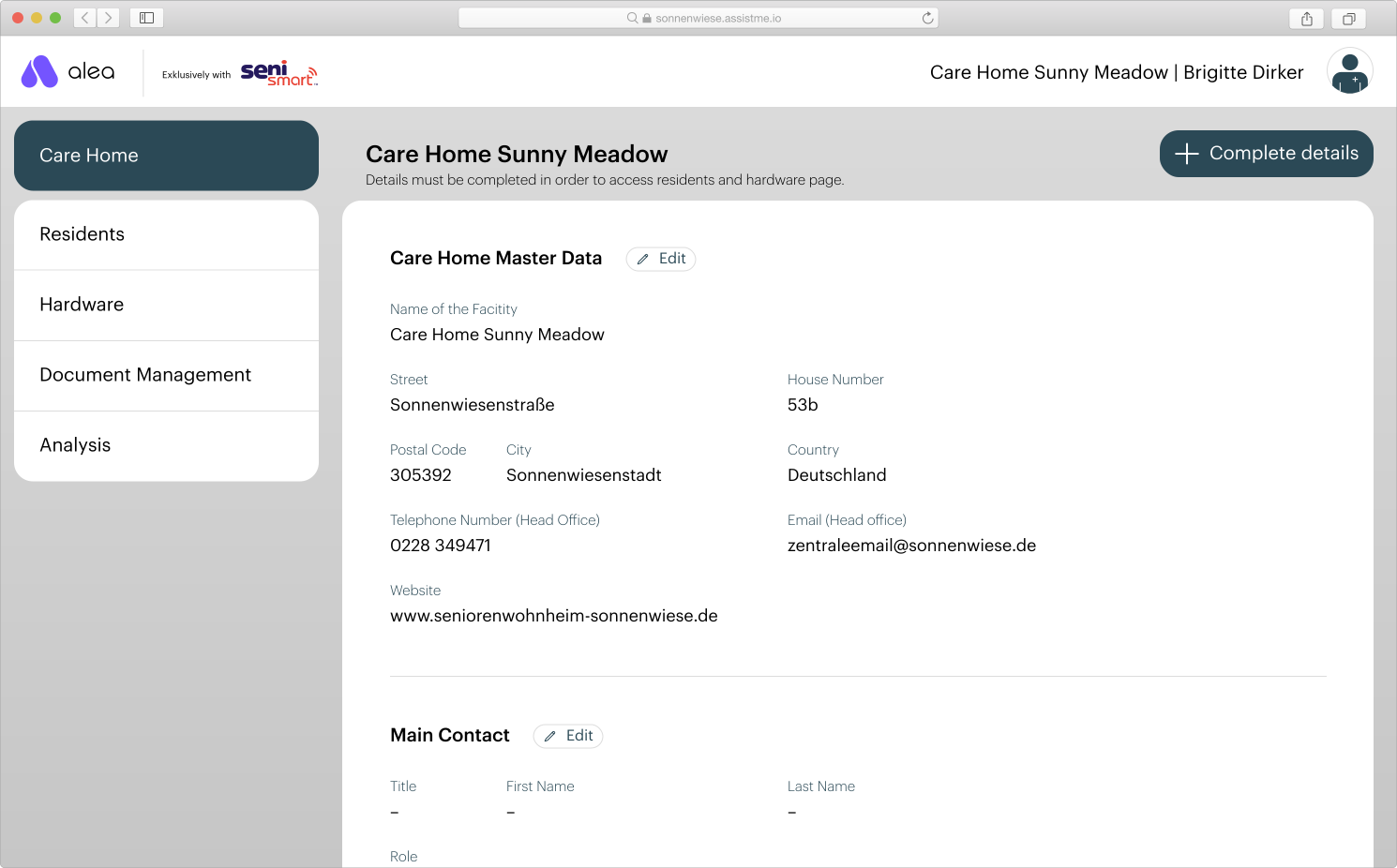
Carehome_Partly-empty.svg


  • Make sure that you are in the Care facility tab.

  • Then click on the Complete details button.

Step 2 of 5

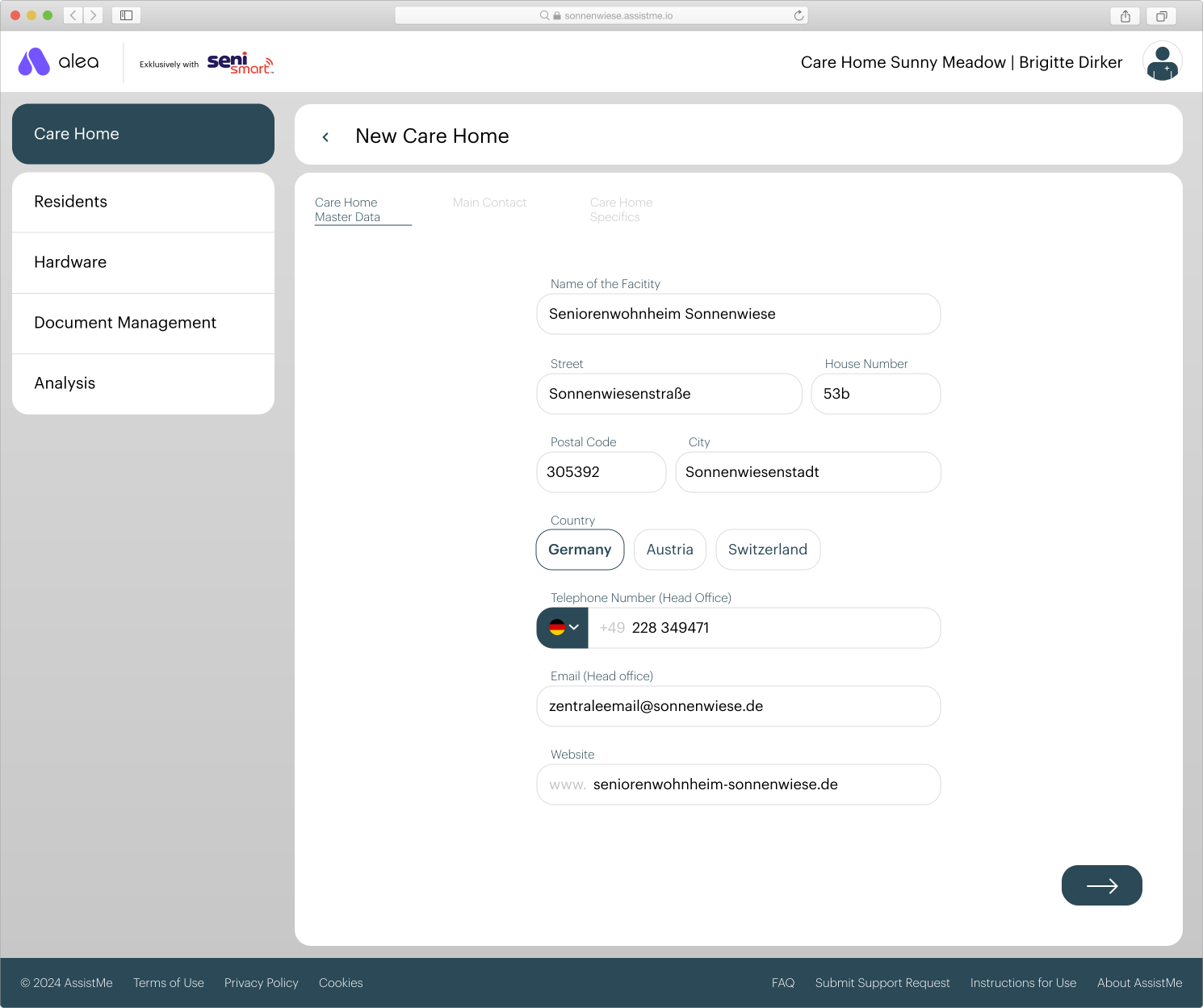
CareHome_Master-Data.svg


  • Complete the data in the Care facility master data section.

  • Then click on the Next button (->).

Step 3 of 5

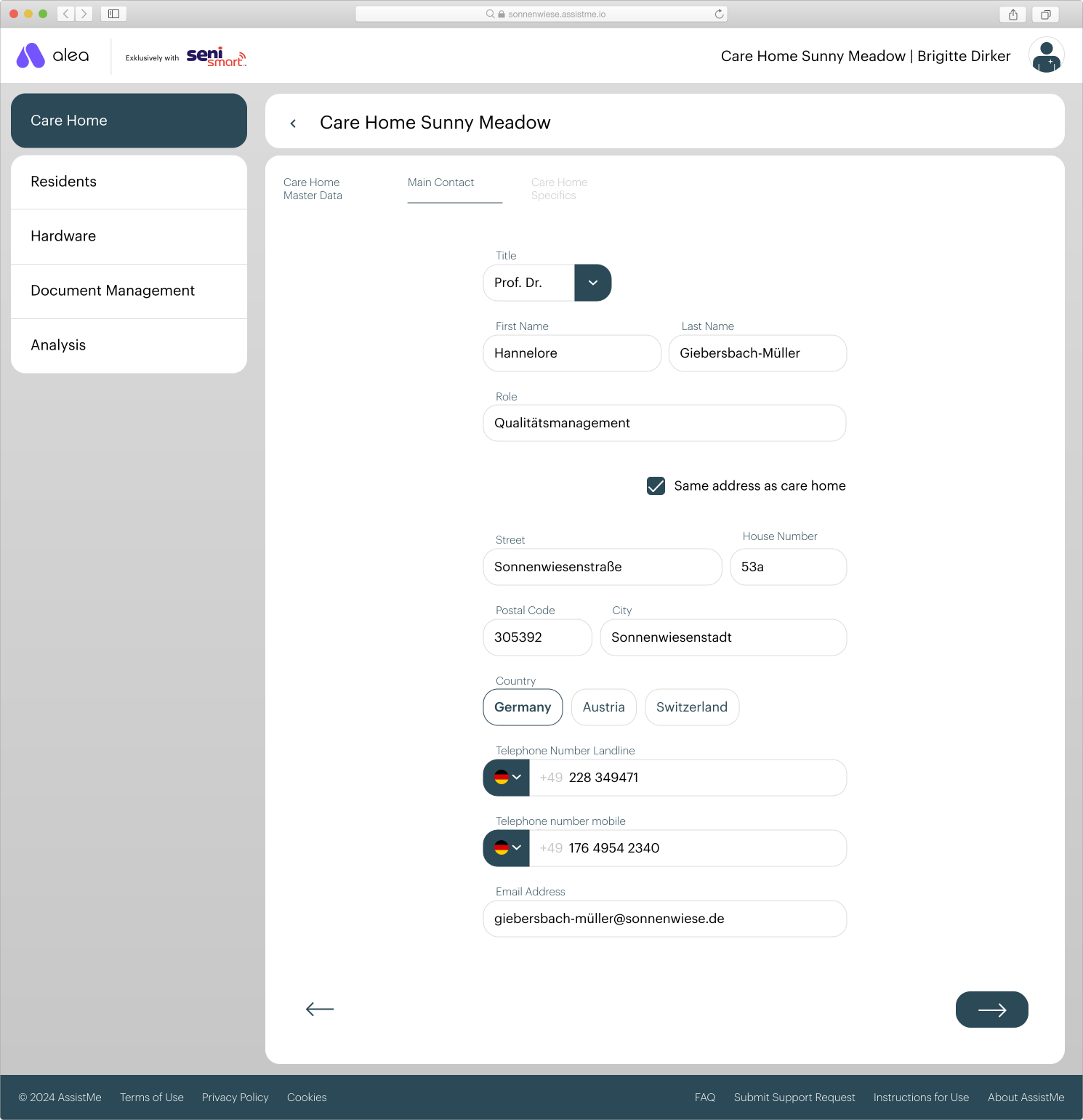
CareHome_Main-Contact.svg
  • Complete the data in the main contact section. This is the person at
    who we will contact if we have any questions or problems.

  • Then click on the Next button (->).

Step 4 of 5

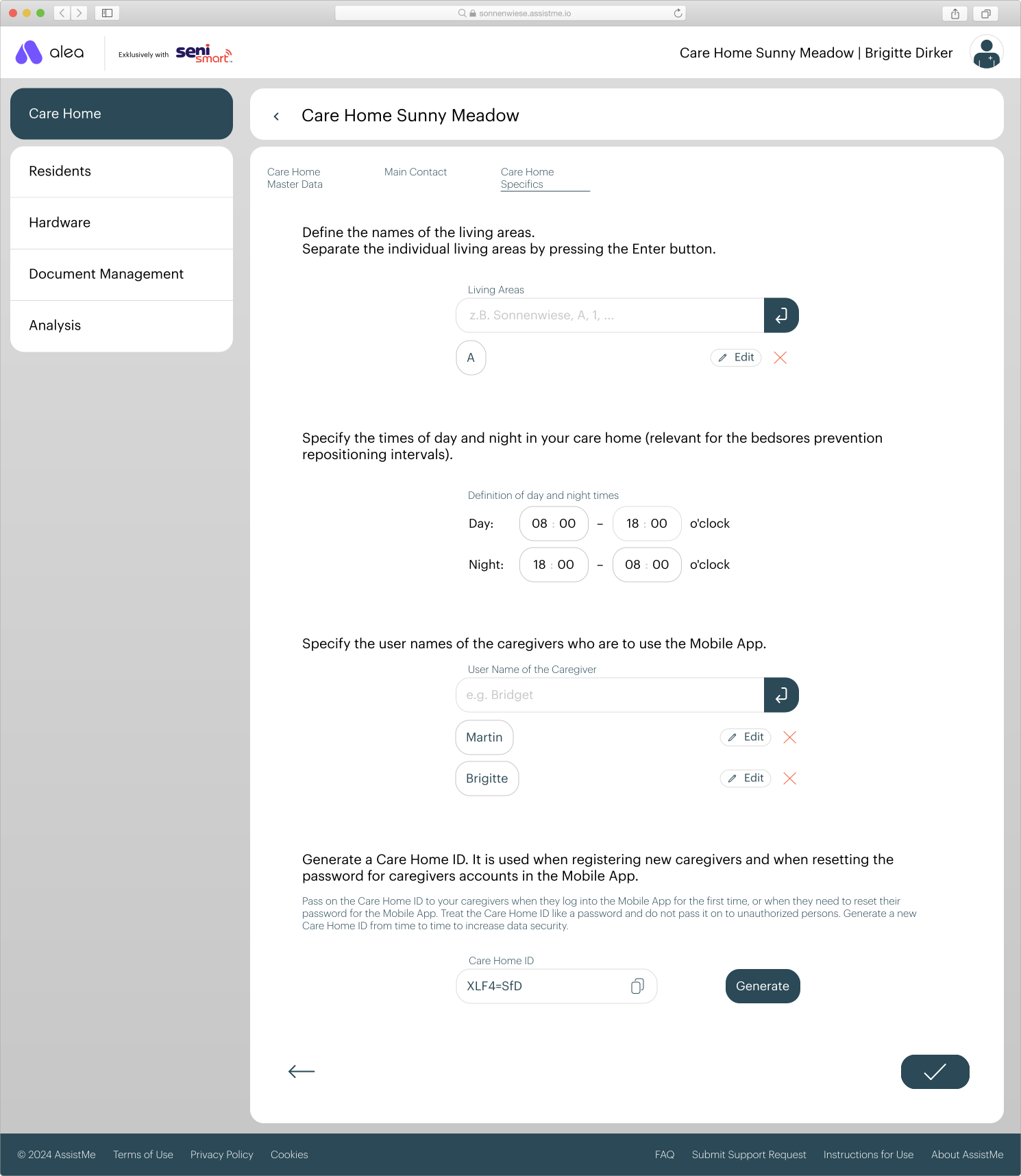
CareHome_Specifics.svg
  • Complete the data in the Care facility master data section:

  • Enter the names of all care facilities in order to be able to assign care recipients to a care setting later on. Confirm with the button. You can subsequently edit or delete the care settings entered.

  • Define day and night times so that you can later assign separate ICP products for day and night to the care recipients.

  • Create user names for all carers who will be using the alea app. Carers can use this user name to register in the alea app and log in to. You can edit the registered carers at a later date or delete. In this case, carers can no longer log in to the alea app, even if they were previously logged in.

  • Generate a care facility ID. Carers can use this ID to register in the alea app for the first time.

  • Then click on the Finish / Check button .

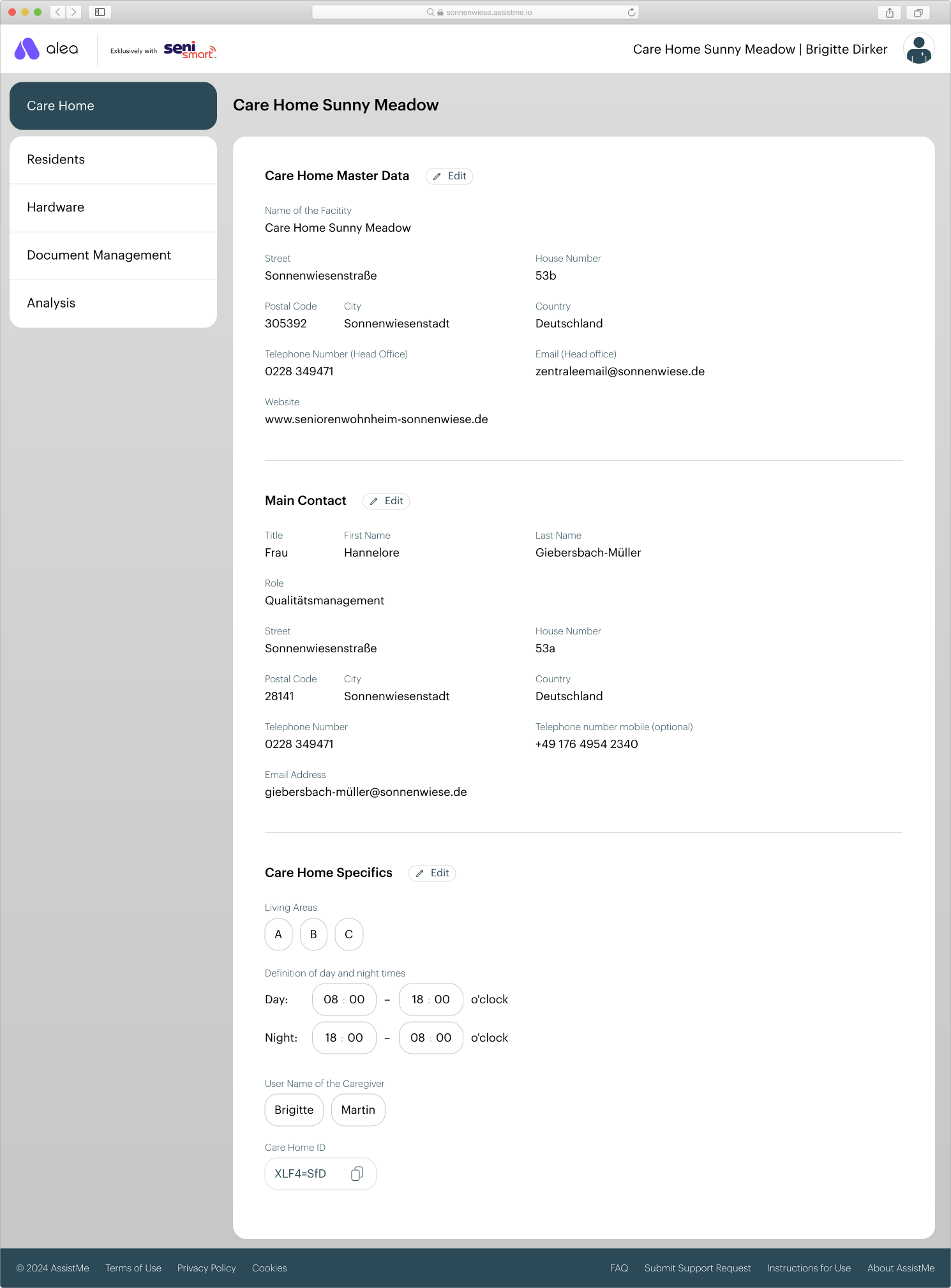
Step 5 of 5

CareHome_Filled-Out.svg
  • You will be taken to the overview page of the Care facility tab, where you can check all the information again and adjust it if necessary using the 'Edit' button.

  • Now that the information is complete, the Care Recipients and Hardware tabs have also been activated.