2.2.7 | Assign hardware to care recipients

Assign care recipients their hardware

Step 1 from 1

Hardware-Management_available_detail-marked-2.png
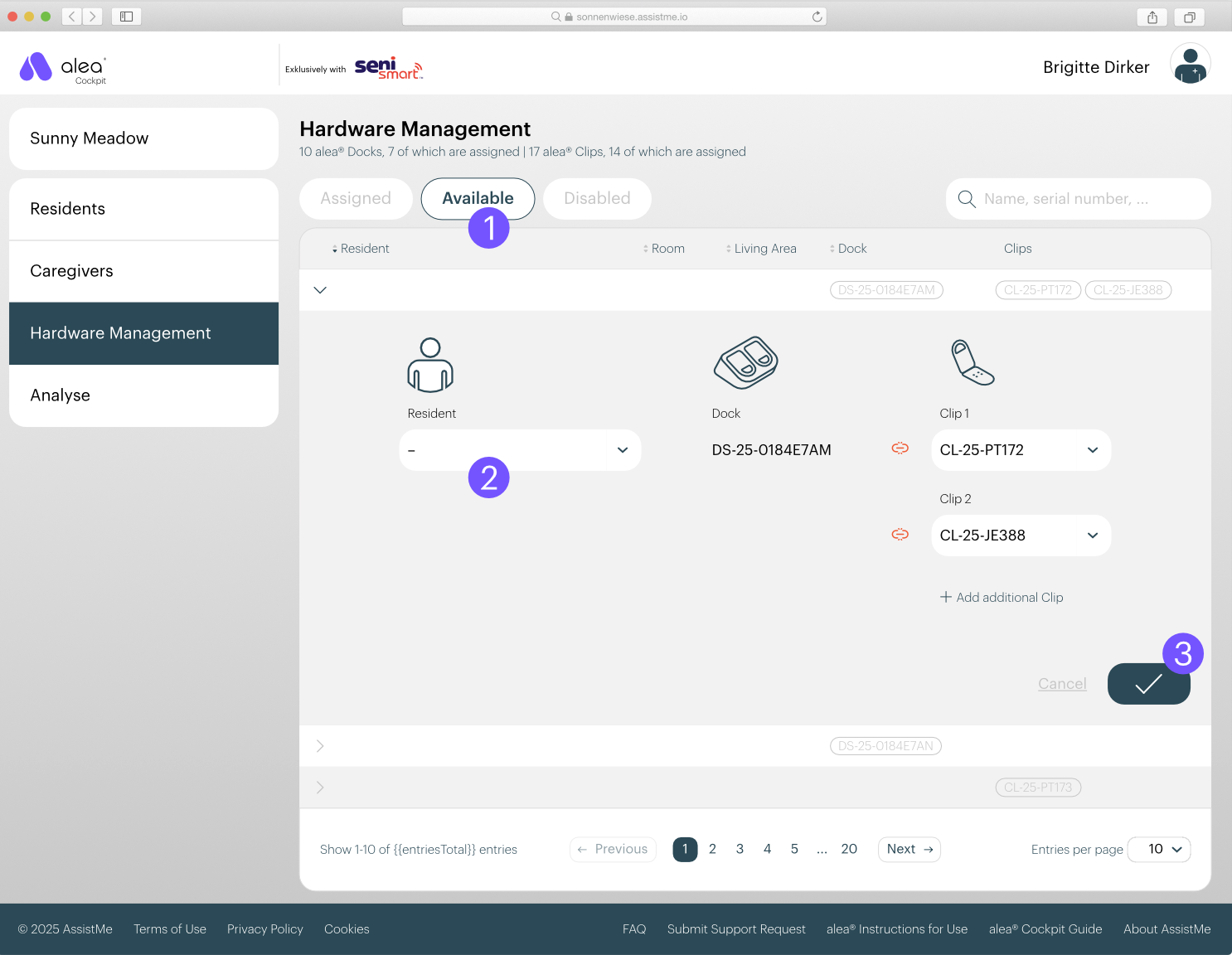
  • Select one of the docks listed in the Available list (1).

  • In the detailed view that then opens, select the relevant resident (2).

  • Confirm your entry by clicking on the tick button at the bottom right (3).

  • Dock and residents are now connected and can be found in the assigned list.