2.2.4 | Manage care recipients

Manage care recipients

Step 1 of 2

REsident-List-marked-en.png
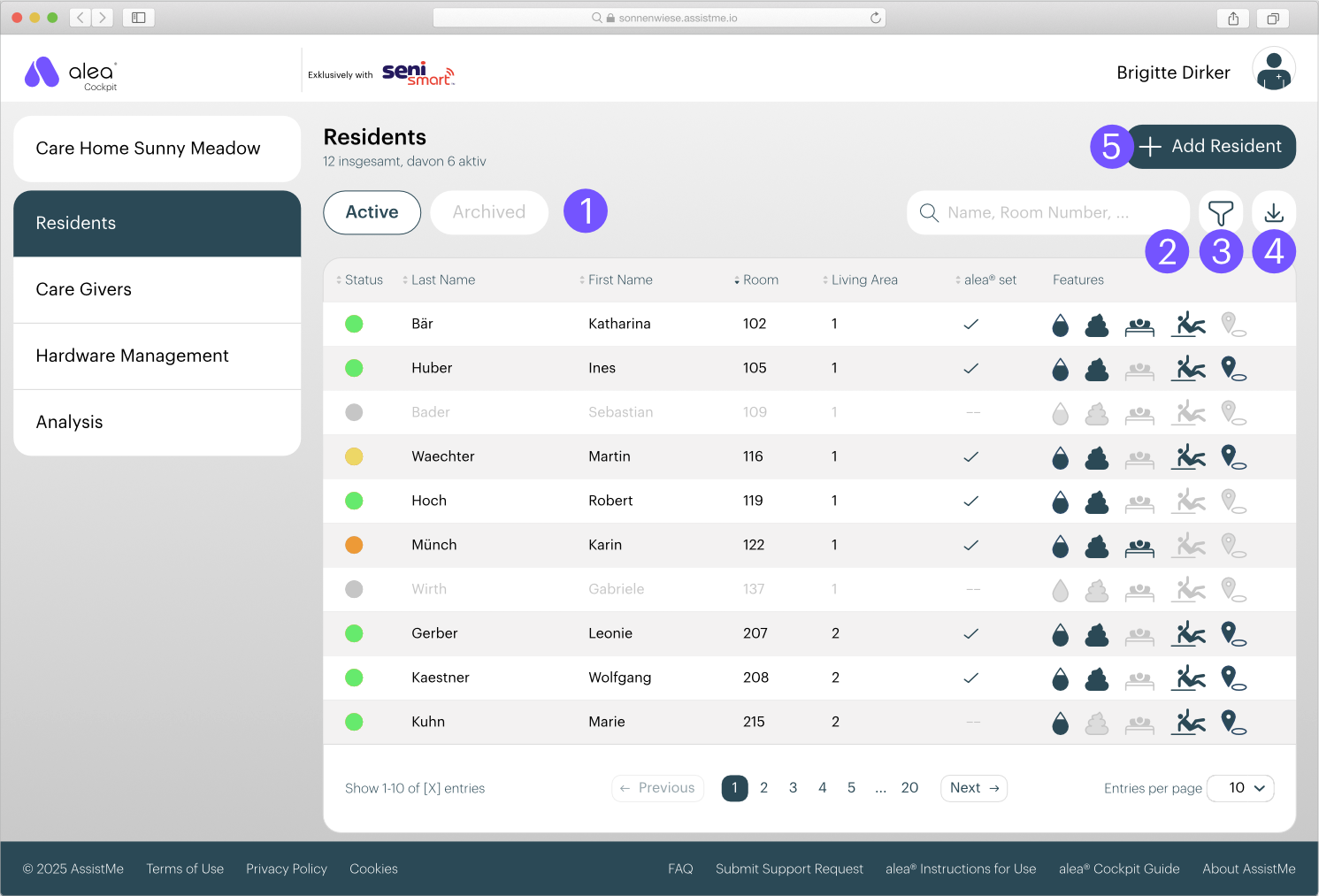
  • You manage the residents in your care home in the Residents tab.

  • You will first see a list of all current residents. Residents with a green status are displayed in the alea app. You can switch to the list of archived residents by clicking on the corresponding button (1).

  • You can search for residents or room numbers (2), filter by status, living area, alea set and active functions (3), print the list or export it as .pdf or .csv (4).

  • You can also add new residents (5) - see chapter 2.2.5.

  • Click on a resident's name to switch to the individual resident view.

Step 2 from 2

ResidentProfile-marked.png
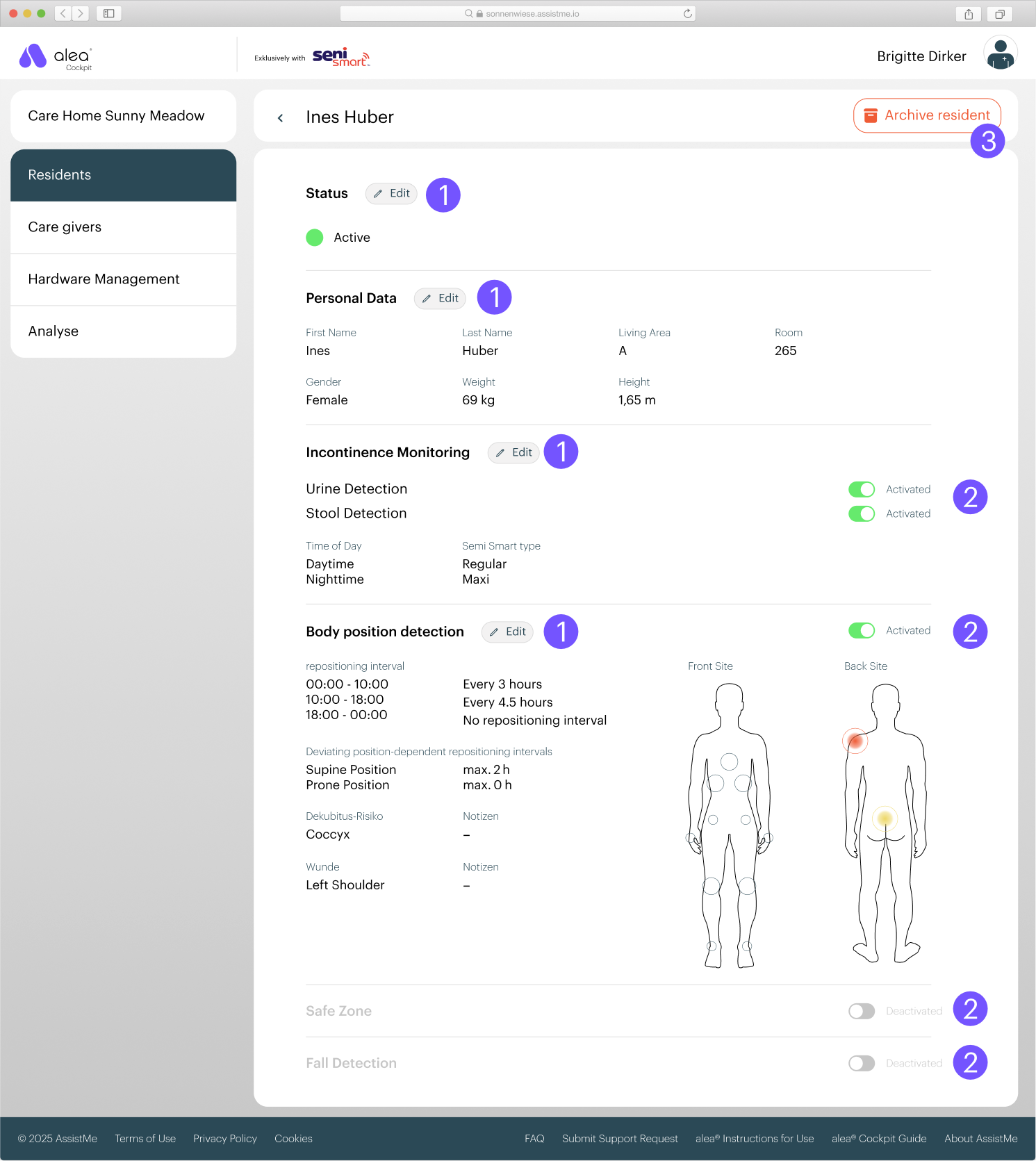
  • By clicking on a resident's name, you can view their settings in detail.

  • By clicking on the Edit button (1), you can make adjustments to the recorded data and care requirements at any time.

  • You can activate or deactivate functions by pressing the button (2).
    You can also archive the resident (3) if you no longer want them to be visible in the system.