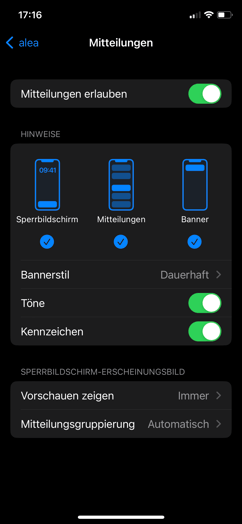
- If you are testing alea as part of a pilot scheme and have received devices from AssistMe, you will receive notifications automatically.
- If you are using your own mobile devices: Please check the notification settings for the alea app on your mobile device in the system settings, or turn up the notification volume.
- Customising notifications on Android devices
- Customising notifications on Apple/iOS devices
| Enabling notifications on iOS |
|---|
| Step 1 of 3 |
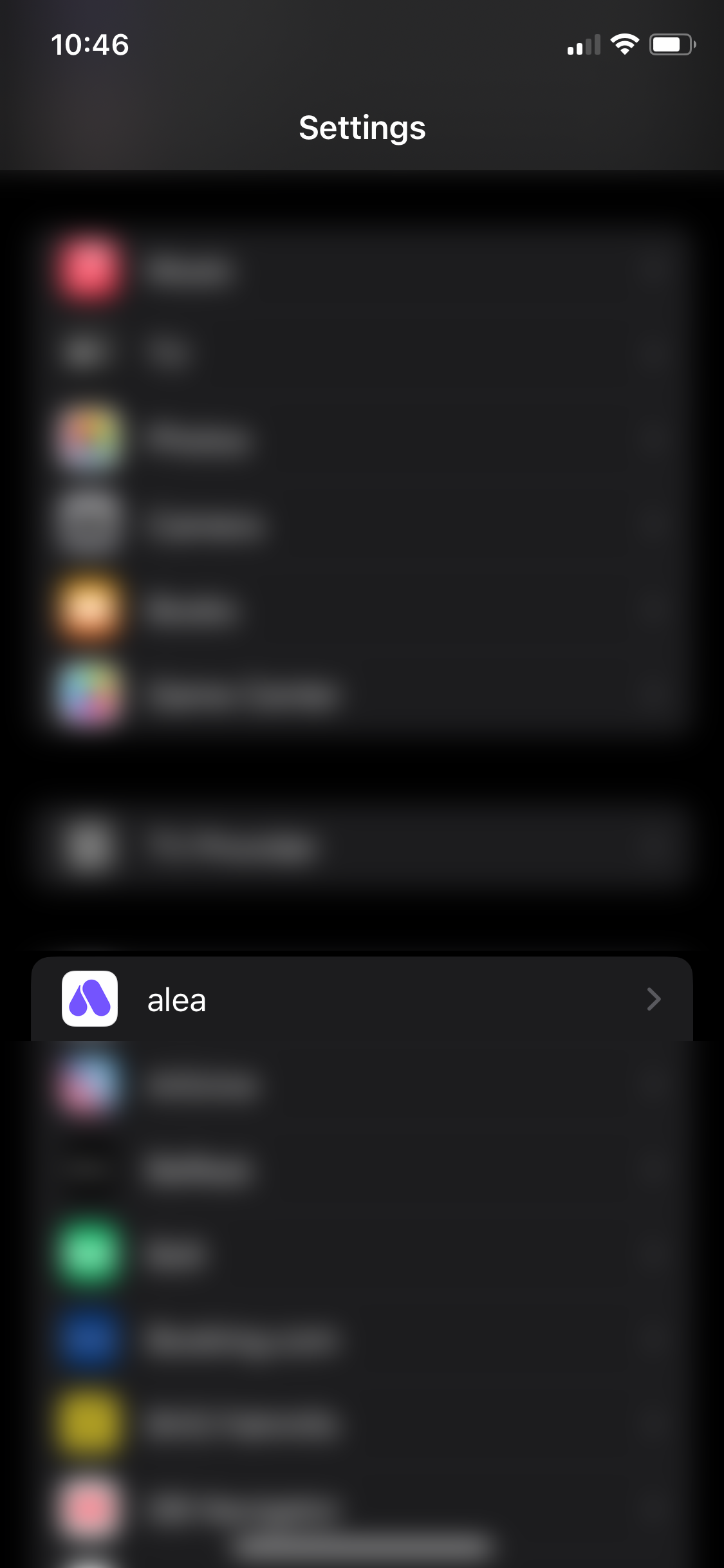
|
|
Step 2 of 3 |
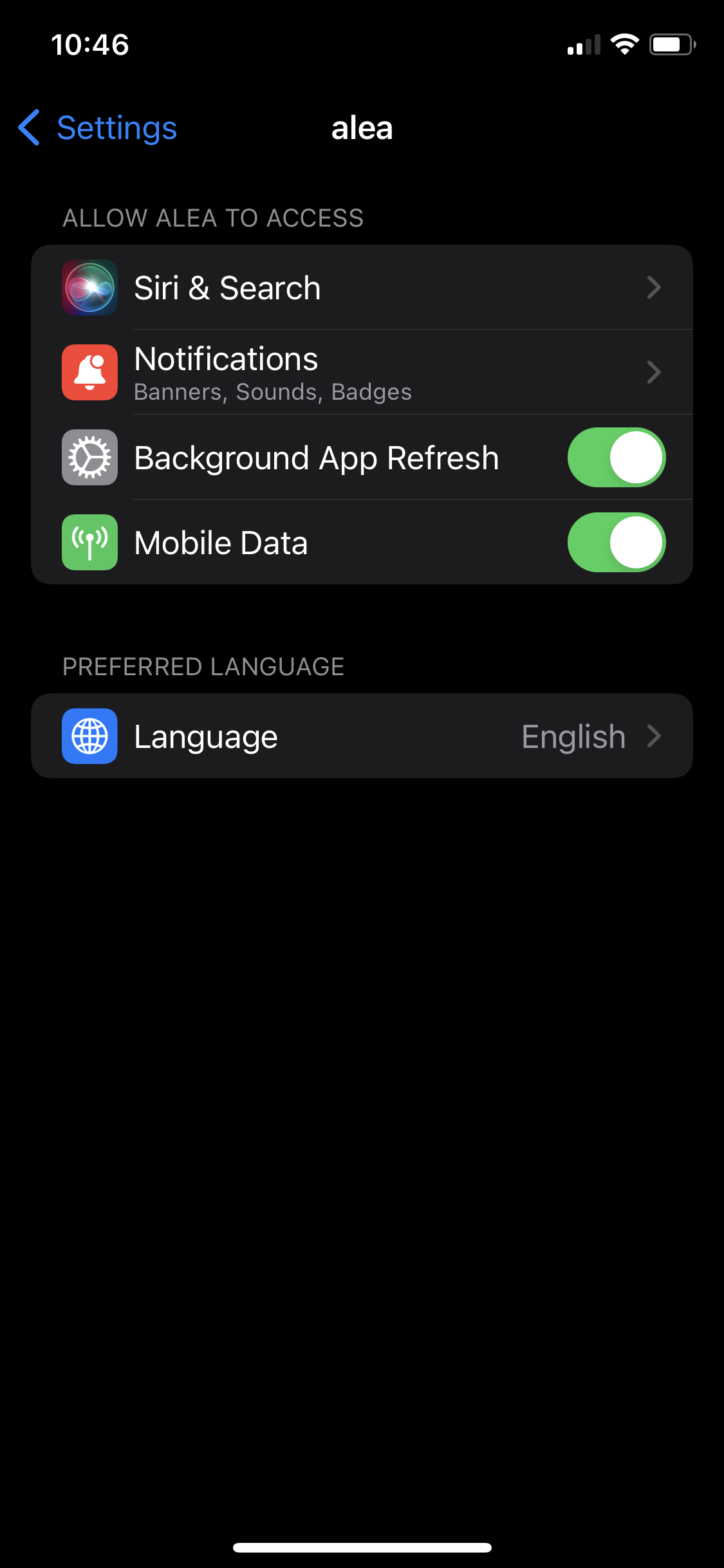
|
|
Step 3 of 3 |
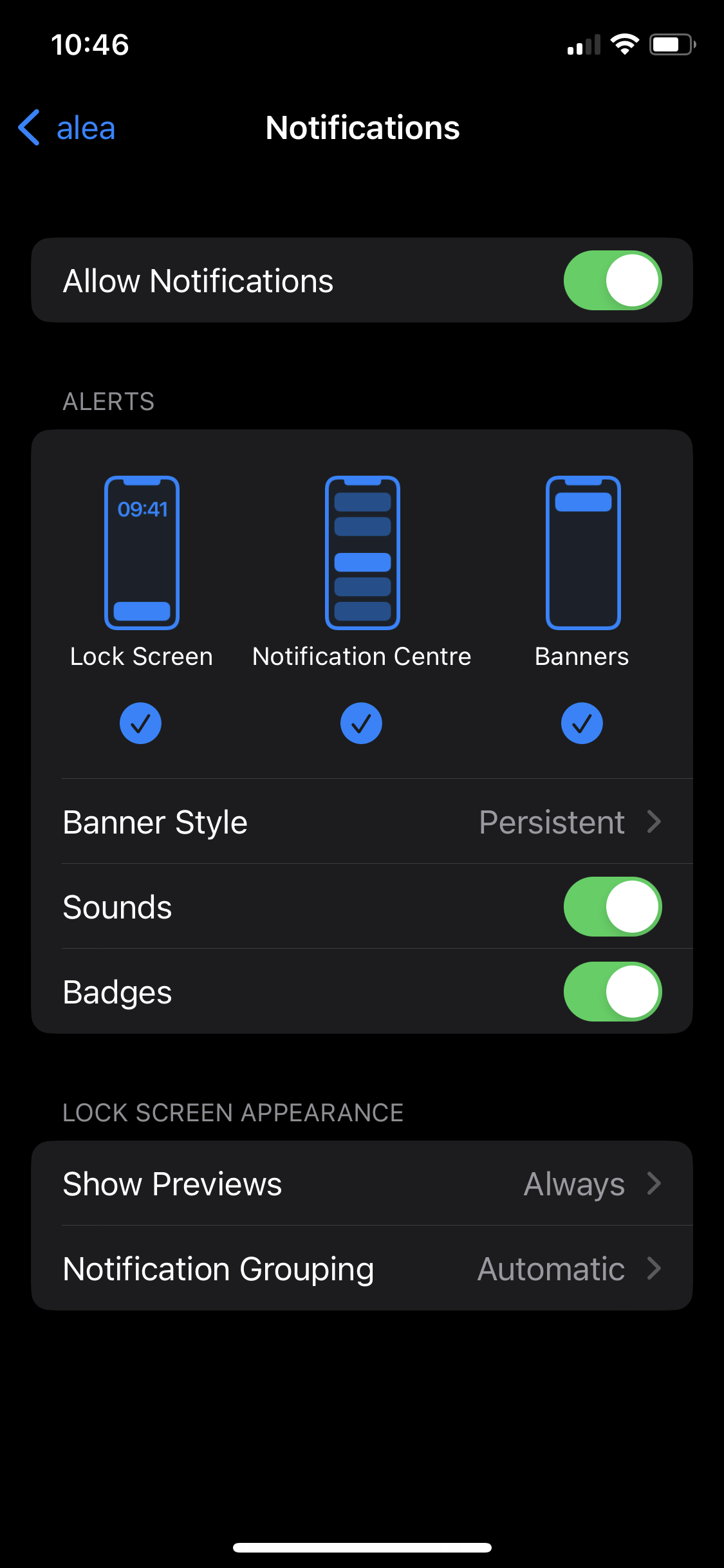
|
| Activating notifications on Android |
|---|
|
Step 1 of 3 |
|
|
|
Step 2 of 3 |
|
|
|
Step 3 of 3 |
|
|
.png?cb=1e13ac1690d9fb55b401f08cf7872a28)
.jpeg?cb=293ef29d2626cf495ef7528cc55fd3bd)