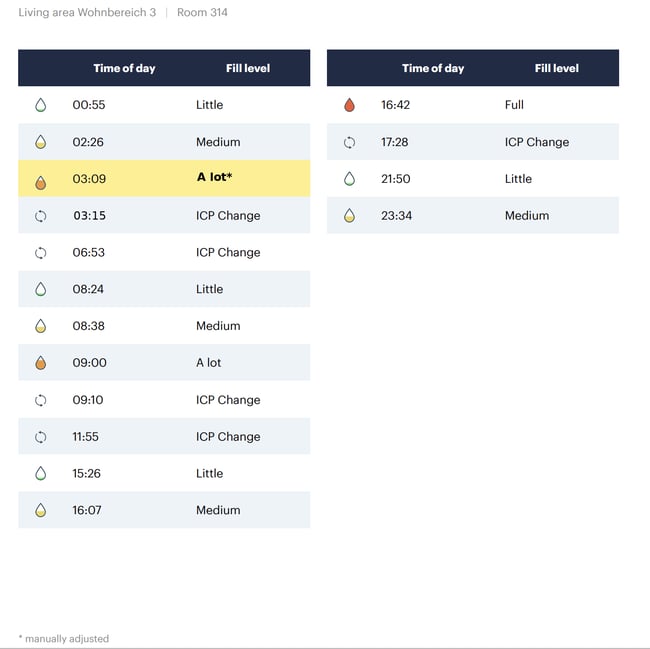
Urine protocols can be exported as PDF files from the Analysis section of the alea Cockpit and then sent via email.
Step 1:
Select the desired residents and the relevant time period.
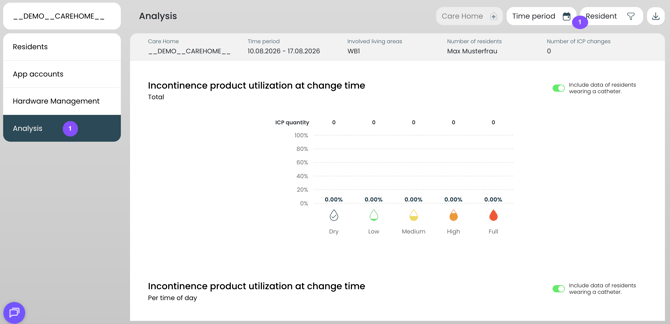
Step 2:
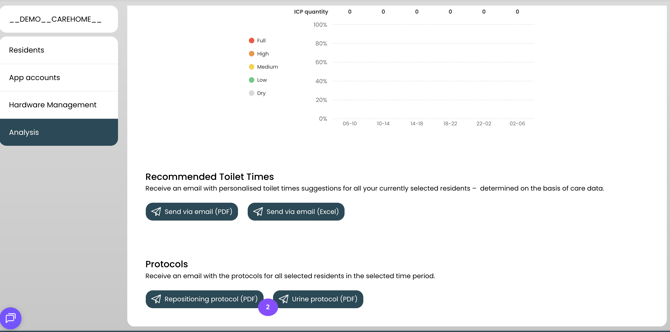
Scroll to the bottom and start the export by clicking “Urine protocol.”
Step 3:
A link will then be sent to the email address on file, which can be used to download the report as a PDF.
Note: The rows highlighted in yellow indicate events that were manually adjusted in the alea app.