
-
To be able to display the current care status in the alea app for each resident, you must assign the hardware to a resident.
-
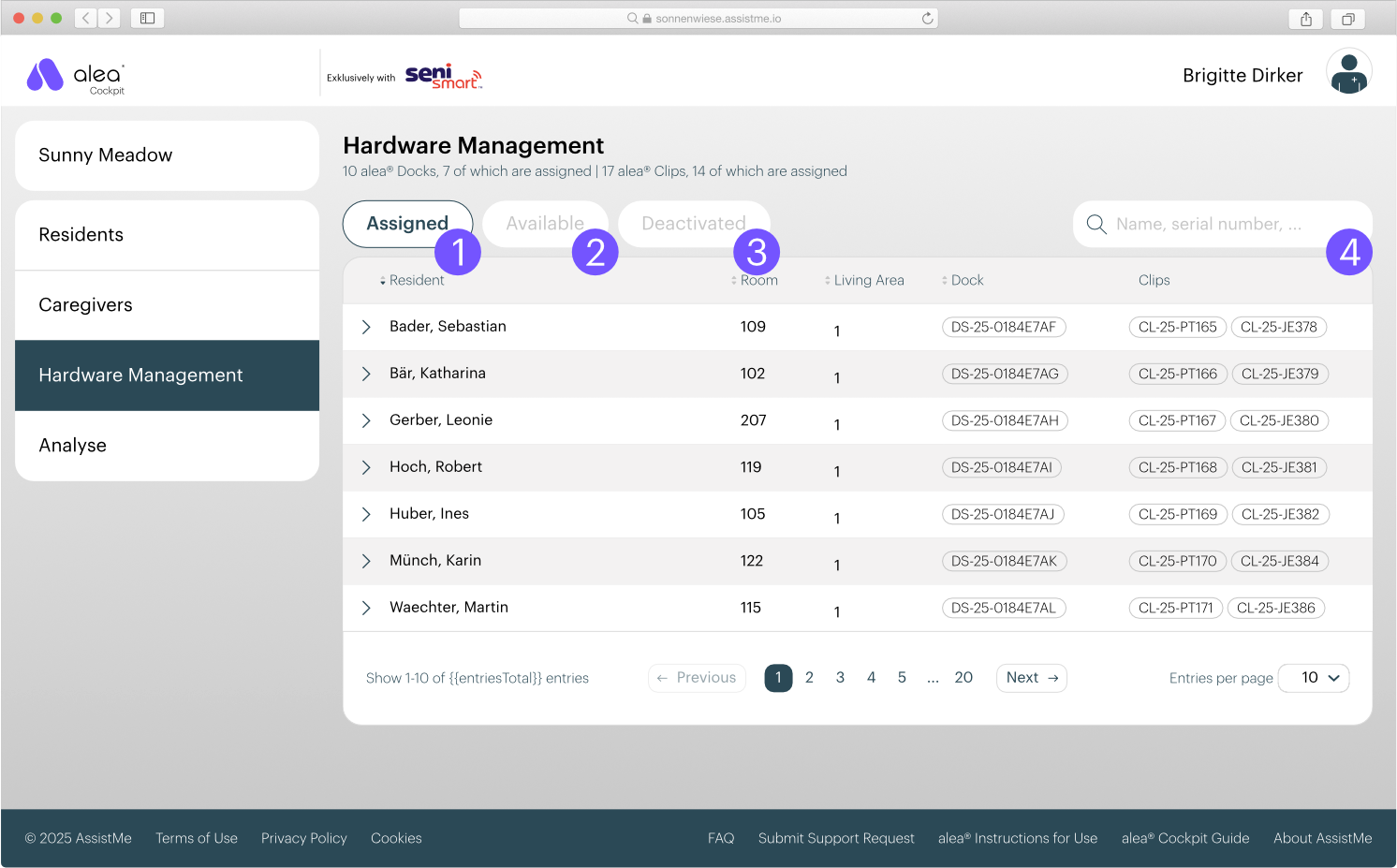
The hardware assignment takes place in the Hardware Management tab. The hardware decoupling, i.e. the cancellation of the assignment between hardware and resident, can also be carried out here.
-
The available hardware is differentiated according to
-
Assigned (1): Hardware assigned to a resident
-
Available (2): free hardware
-
Deactivated (3): deactivated hardware (e.g. defective hardware)
-
-
You can search the lists for a resident name or a hardware serial number (4).
-
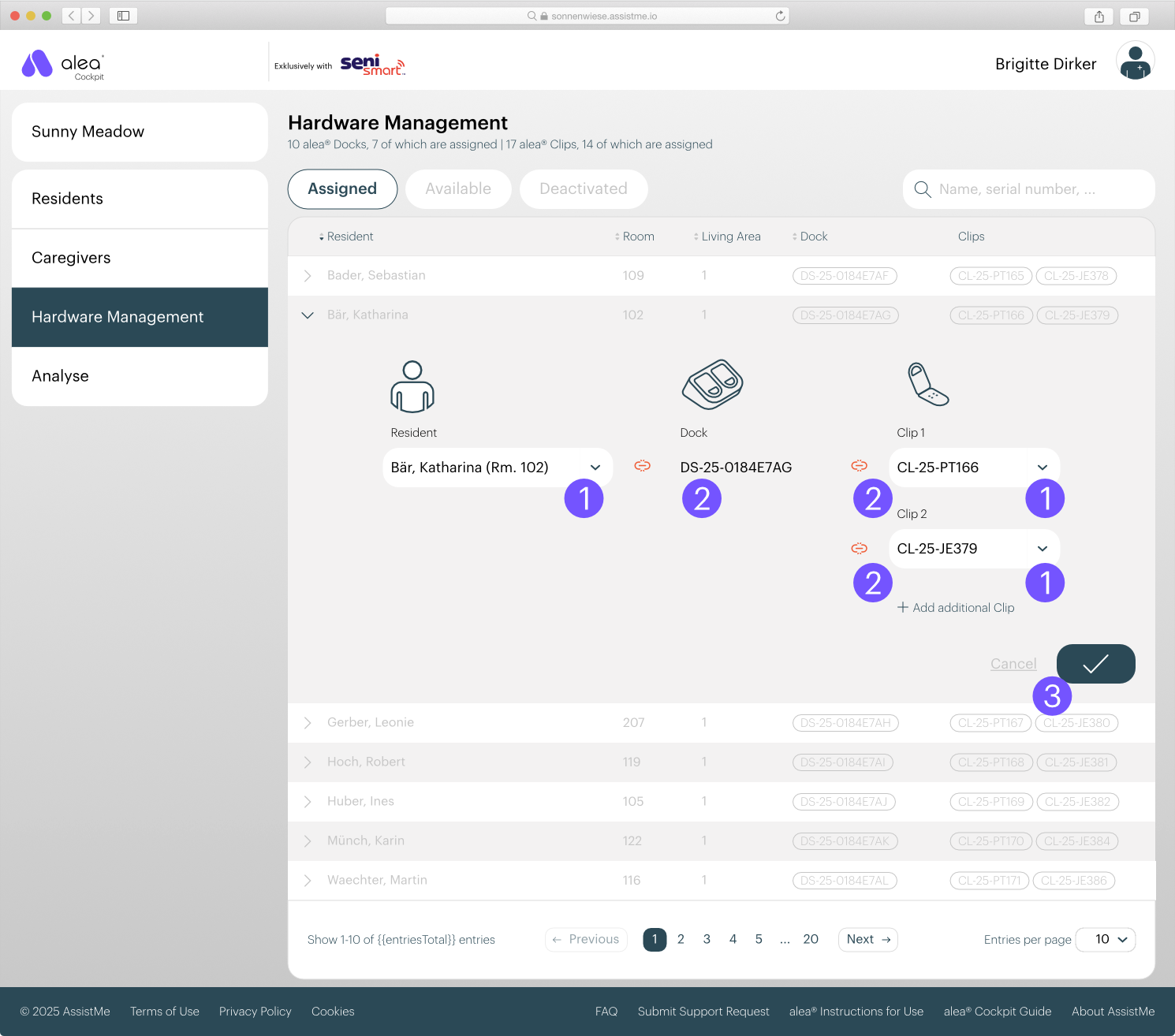
Click on a list entry to open the detailed view where you can make changes.
-
In the detail view, you can select free residents and clips from the drop-down menu. (1)
If you want to cancel the assignment, you can do so by clicking on the red unlink icon. (2) -
Save changes by clicking on the tick button. (3)
Important: A clip is automatically assigned to a resident by inserting it for a few seconds into the dock assigned to the resident in question. This process leads to an automatic connection between dock - clip - resident. You should therefore concentrate on the assignment of residents and docks in hardware management.