
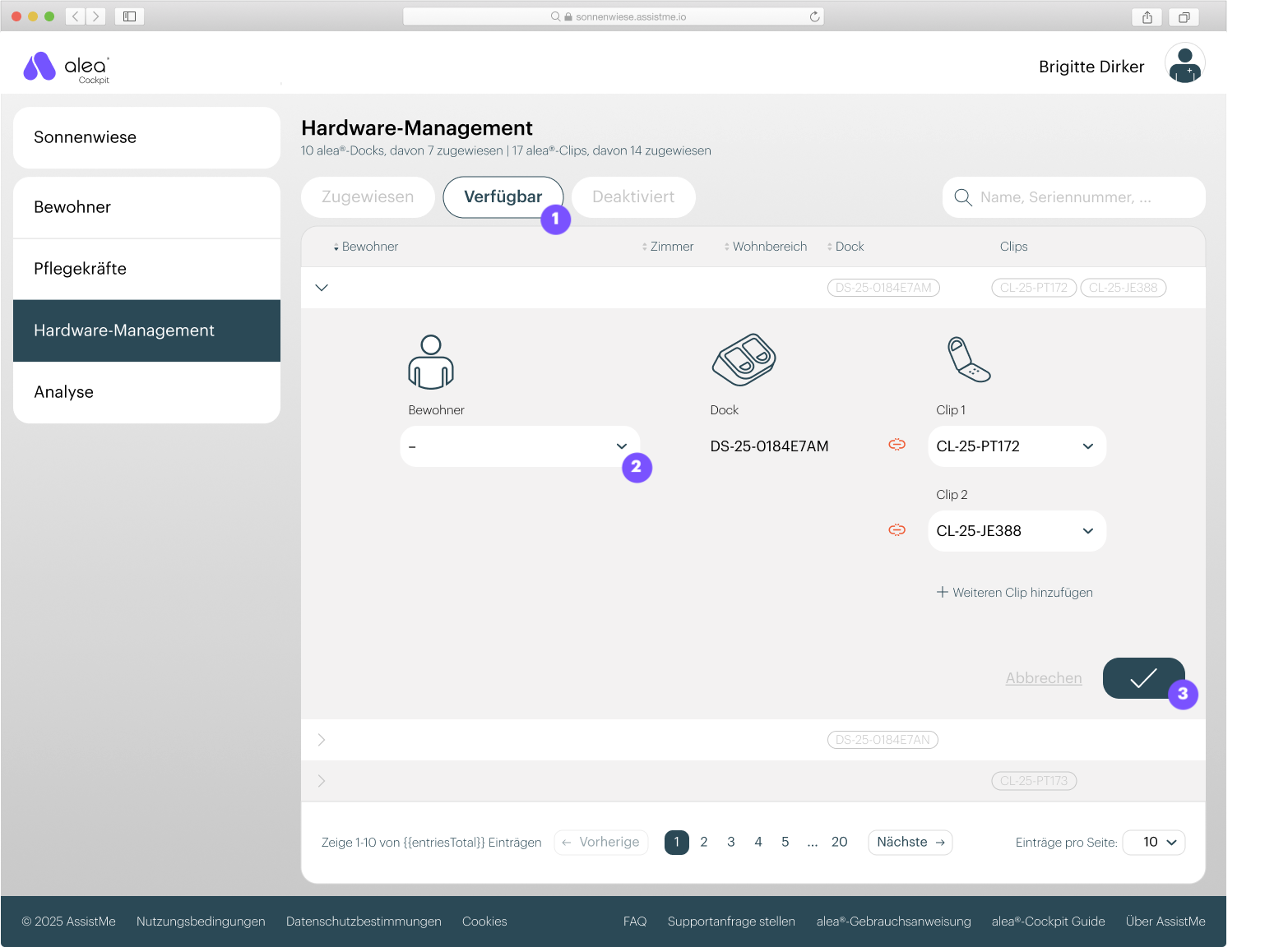
- First, make sure you have available hardware at your facility. If you do not see any available hardware in the system, you can remove hardware from existing care recipients or request new hardware from alea Support.
- Select one of the docks listed in the Available list (1).
- In the details view that then opens, select the relevant resident (2).
- Confirm your entry by clicking the tick button at the bottom right (3).
- The dock and resident are now linked and can be found in the Assigned list.